/WRITING · BUILDING WEB APPS
The React state paradigm in 2026: server, URL, action, client and derived state
Every app has to keep track of things: your basket, the page you are on, a half-filled form. Where that information lives decides whether an app feels solid or buggy. Here is the simple map I use, in plain English.
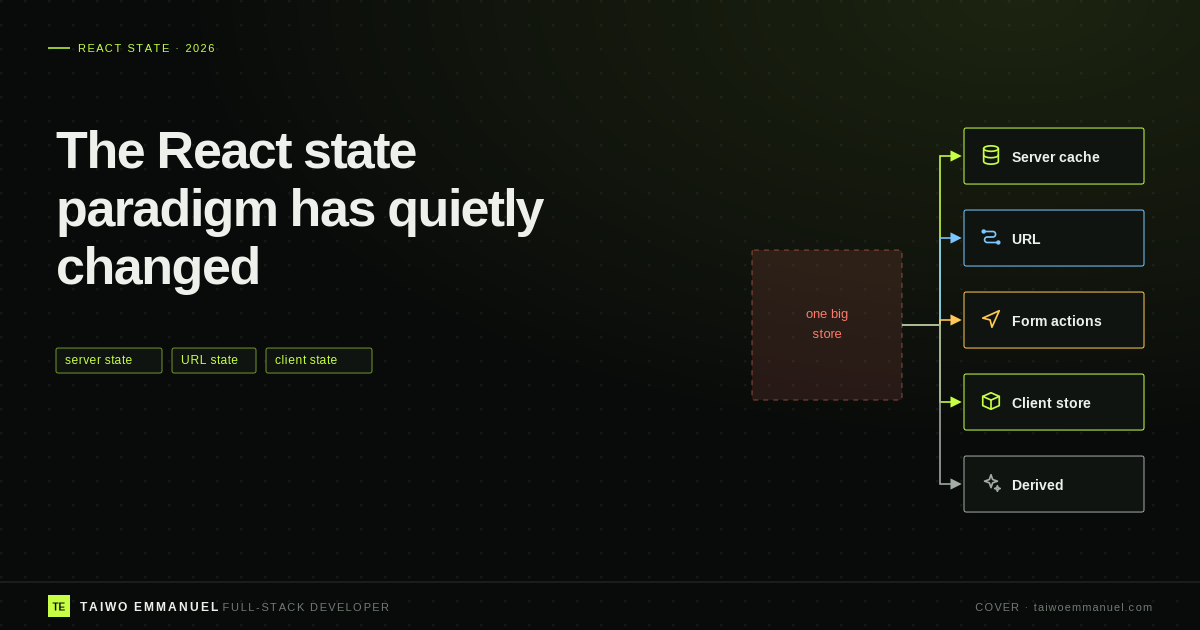
Every app has to remember things while you use it: who you are, what is in your basket, which tab you opened, what you have typed into a form so far. Developers call this information "state". Where each piece of state lives quietly decides whether an app feels solid or full of strange little bugs.
For years, the common approach in React apps was to put almost everything in one big central box. That approach has changed. This post explains the newer way of thinking in plain English, because it is useful for anyone who builds, hires for or manages a web app.
The problem: one big box for everything
The old habit was to load data from the server, copy it into one big store in the browser, and have every screen read from there. It sounds tidy. In practice it causes classic bugs:
- The screen shows old information because the copy was never refreshed.
- Two parts of the page disagree about the same thing.
- You share a link and the other person lands on a different view than you were looking at.
Most of these come from the same mistake: treating very different kinds of information as if they were the same.
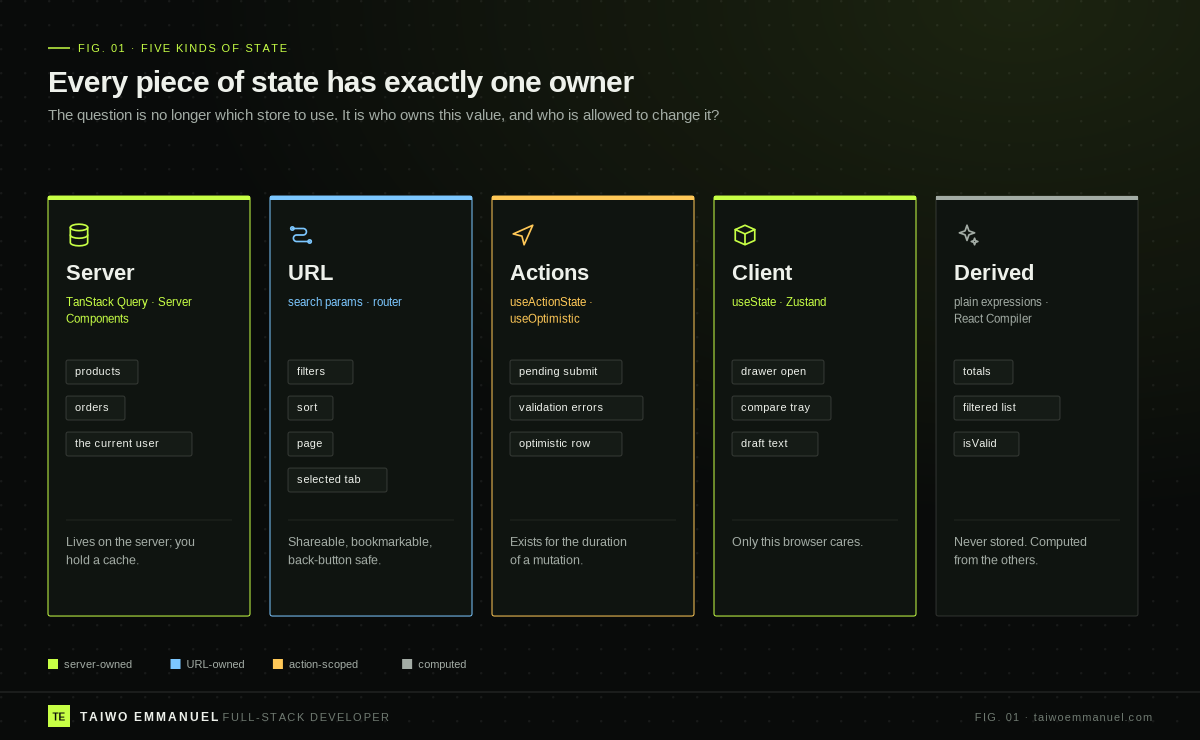
The big idea: five kinds of information, five homes
When I plan an app, I sort every piece of information into one of five groups and give each its natural home.
- Server data: anything that really lives in your database, like products, orders and balances. It belongs to the server, and the app keeps a fresh copy using a tool built for that job (I use TanStack Query).
- Address bar data: anything someone might want to share or bookmark, like the current page, search terms, filters and sorting. It belongs in the web address, so links always open the same view.
- Form and action data: what someone is in the middle of submitting, and whether it is still sending, succeeded or failed. Modern React has built-in tools for this.
- Screen-only choices: whether a menu is open, which tab is selected, dark mode. These only matter in the browser, and a small store or the component itself is enough.
- Calculated values: totals, counts and anything that can be worked out from the other four. These should be calculated, never stored separately, so they can never drift out of sync.
How to do it
1. List what the screen needs to know
For each screen, I write a short list: the data it shows, the filters people use, the forms they fill in, and the little choices like open menus.
2. Ask the questions in order
For each item, I ask: does it live on the server? Should it be in the link? Is it part of a form being submitted? Is it only about this screen? Can it be calculated? The first "yes" decides its home.
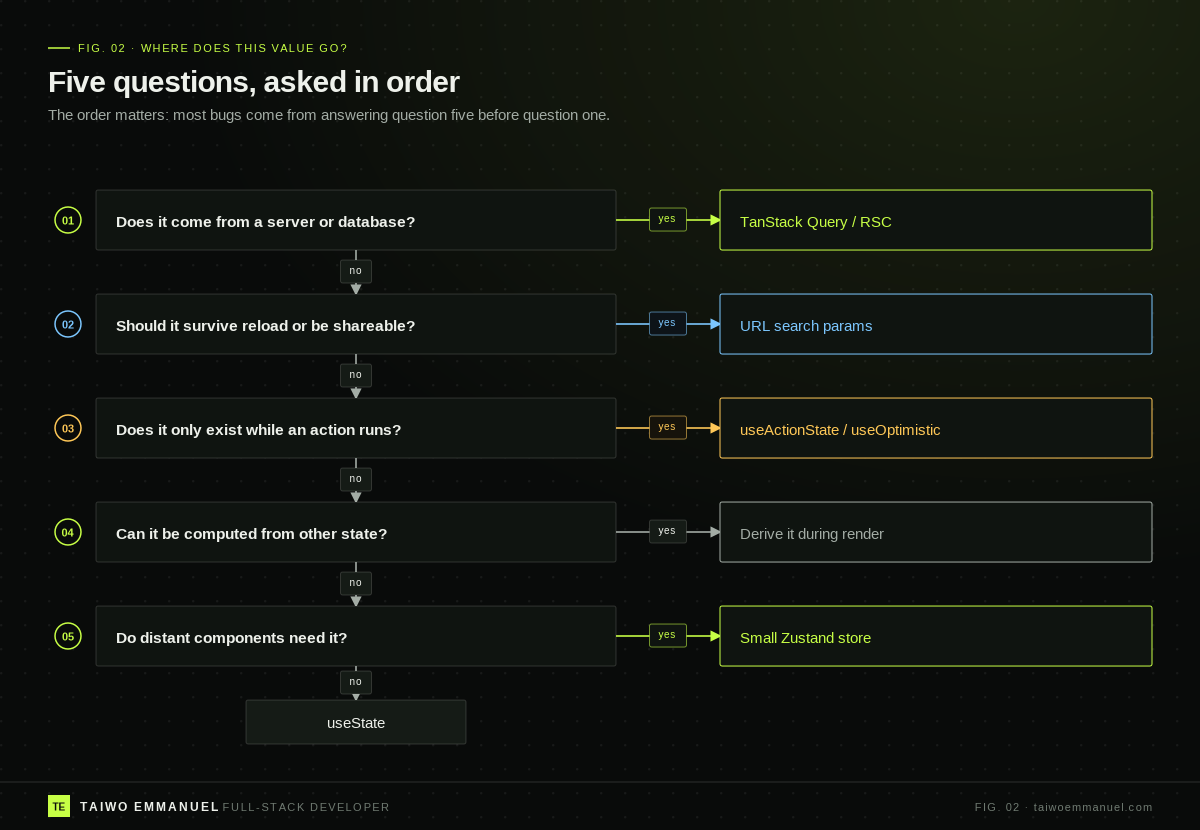
3. Keep the central store small
What is left over for a central store is usually tiny: a few preferences and screen choices. If it starts filling up with server data, that is a sign something is in the wrong place.
What this means if you are hiring or managing a developer
You do not need to know the tools. But you can ask: if I share a link to a filtered view, does the other person see the same thing? When data changes, does every part of the screen update? Good answers usually mean the information has been given the right homes.
Takeaway
Modern web apps work best when each kind of information lives in its natural home: server data with the server, shareable views in the link, form progress with the form, screen choices in the browser, and totals calculated on the fly. Fewer copies means fewer bugs.
References
- 1. React 19.2 — React blog, October 2025
- 2. useActionState — React docs
- 3. TanStack Query overview — TanStack Query docs
- 4. React Query as a state manager — Dominik Dorfmeister (TkDodo)
- 5. useSearchParams — React Router docs