/WRITING · BUILDING WEB APPS
React 19 useOptimistic vs TanStack Query mutations: who owns the optimistic update?
When you tap Like and the heart turns red instantly, the app has not actually heard back from the server yet. That trick is called an optimistic update. Here is how it works, when to use it, and how to make sure it never lies.
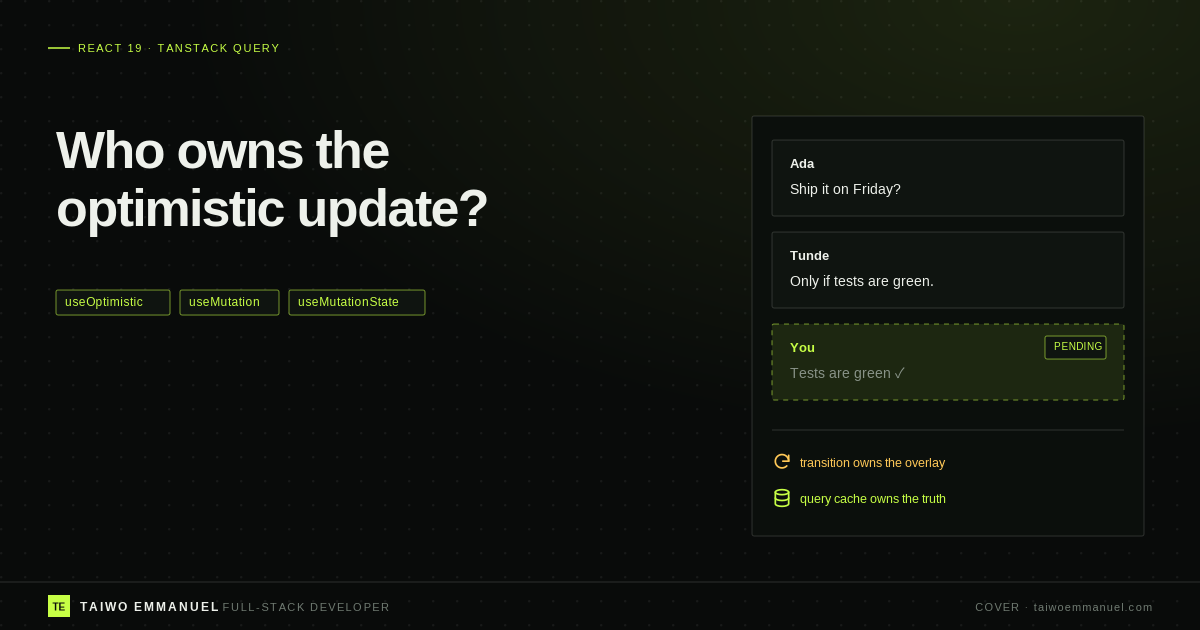
When you tap Like on a post and the heart turns red immediately, the app has not actually heard back from the server yet. It is assuming your like will be saved and showing the result straight away. If saving fails, it quietly turns the heart grey again.
That trick is called an optimistic update, and it is one of the simplest ways to make an app feel fast. It also has to be handled carefully, because an app that shows something that did not really happen is an app people stop trusting.
The problem: waiting for the server feels slow
Every time you save something, the request travels to a server and back. On a good connection that takes a fraction of a second. On a weak mobile connection, it can take several seconds. If the screen does nothing until the reply arrives, people tap again, wonder whether it worked, or give up.
Showing a spinner on every small action makes the app feel sluggish. Showing the result immediately feels great, but only if you deal properly with the times it fails.
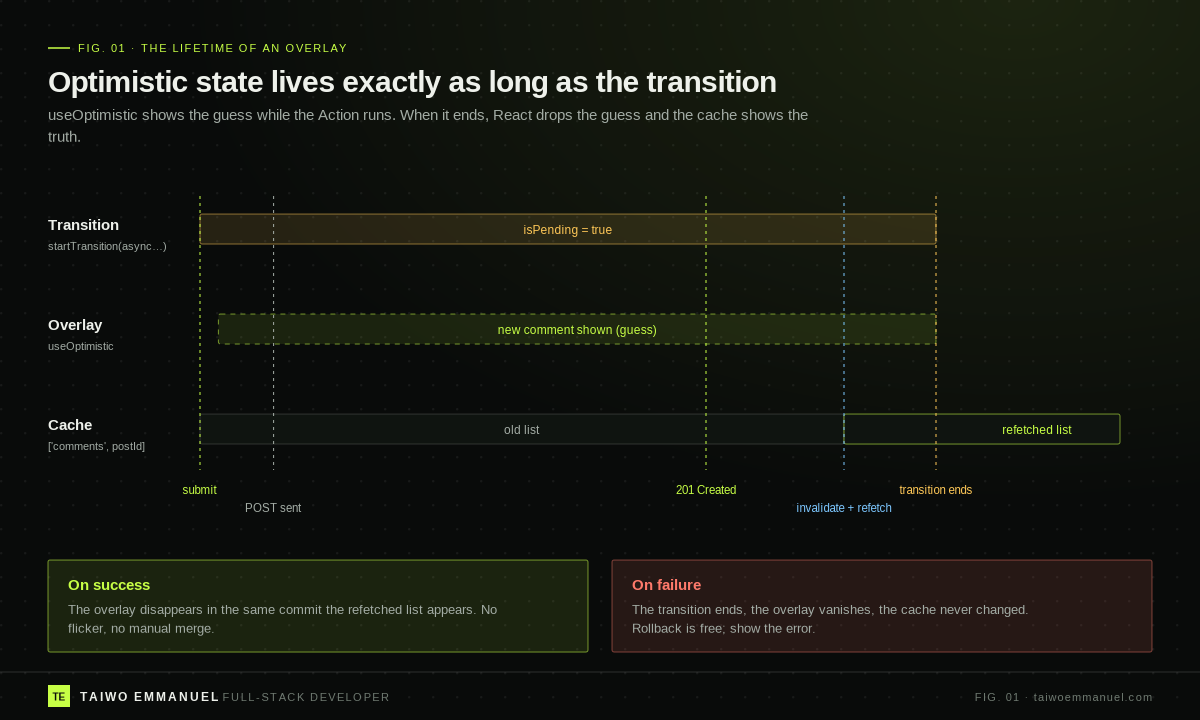
The big idea: show the result instantly, but keep the real record honest
The safe way to do optimistic updates is to treat the instant result as a temporary layer on top of the real data. While the save is in progress, people see the result they expect. When the server confirms, the temporary layer is replaced by the real data. If the server says no, the layer disappears and a short message explains what happened.
The real record underneath never contains anything the server has not confirmed. That is what keeps the app honest.
How to do it
1. Choose which actions deserve it
Good candidates succeed almost every time and are easy to undo: likes, ticking a to-do item, renaming something, reordering a list. Payments, deletions and anything with real-world consequences should wait for the server and show clear progress instead.
2. Pick the right tool for how widely it is seen
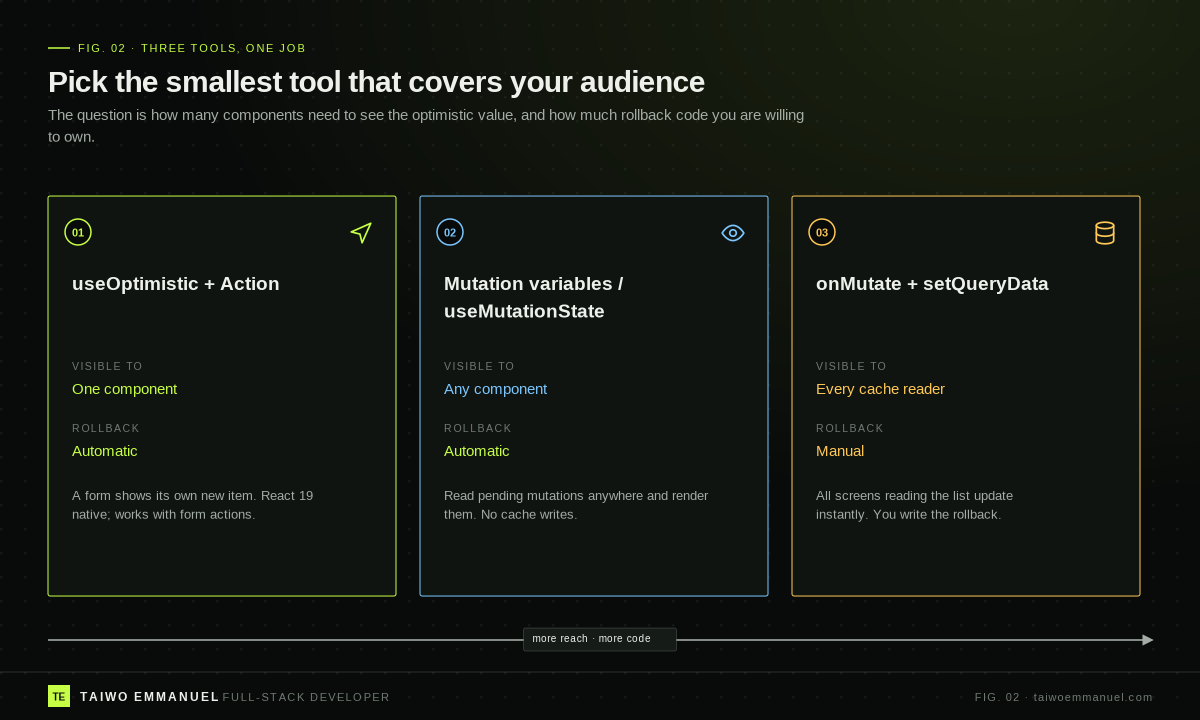
React 19 has a built-in helper, useOptimistic, that is perfect when only one part of the screen needs to show the instant result, like a single like button. When the same information appears in several places, such as a to-do item shown in a list, a counter and a sidebar, I use TanStack Query's approach so every part of the screen updates together.
3. Always plan the failure
For every optimistic action, I decide what happens if it fails: undo the change on screen, show a short message, and where it makes sense, offer a Retry button. If the failure case is not designed, the optimistic update is not finished.
4. Test it on a slow connection
Browsers let you simulate a slow network. Trying the app that way shows whether instant results and failure messages behave the way people expect.
Takeaway
Optimistic updates make apps feel instant by showing the expected result before the server replies. Use them for small, safe actions, keep the real record limited to what the server confirmed, and always design what happens when a save fails.
References
- 1. React v19 — React blog, December 2024
- 2. useOptimistic — React docs
- 3. useTransition — React docs
- 4. Optimistic updates — TanStack Query docs
- 5. useMutationState reference — TanStack Query docs