/WRITING · BUILDING WEB APPS
Server Components meet TanStack Query: prefetch, hydrate and stream
Visitors judge a website in the first second. The trick is to have the page arrive ready to read, then stay fresh while people use it. Here is how I get both in Next.js sites, explained without the jargon.
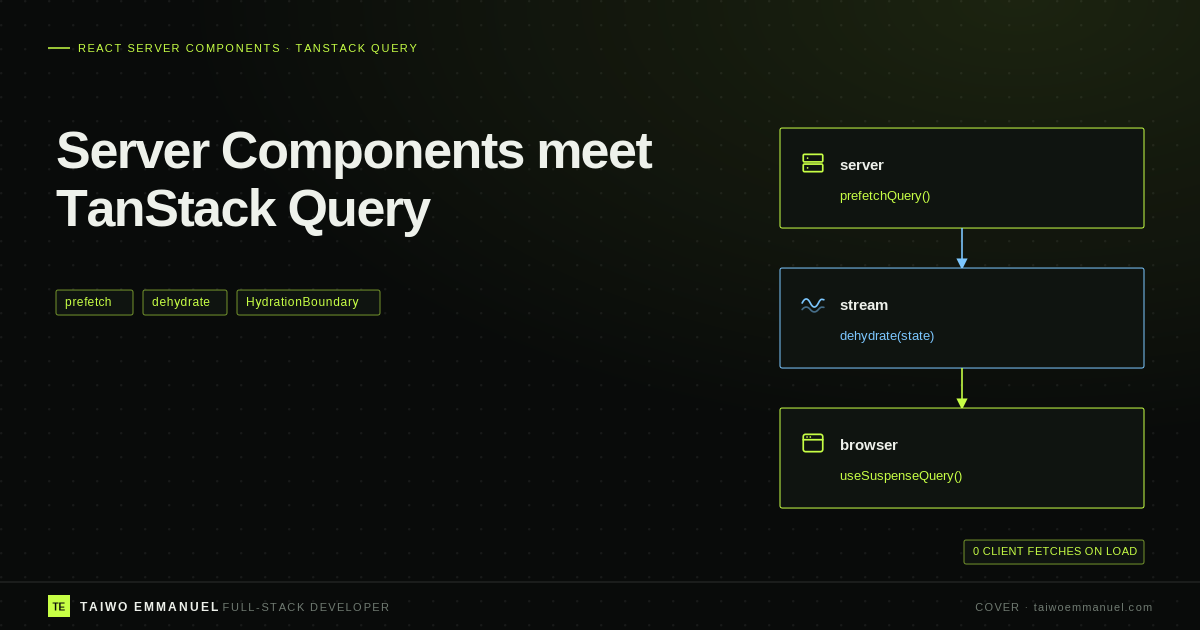
People decide whether a website feels fast in about a second. If they land on a blank page with spinners, they notice. If the page arrives with the content already there, it feels quick, even on a slow phone.
At the same time, many pages need to stay live after they load: a dashboard that refreshes, a list you can filter, a basket that updates. This post explains how I get both in Next.js websites: pages that arrive ready, and stay fresh afterwards.
The problem: fast first load or live updates, rarely both
There are two common ways to build pages, and each has a weakness.
- Build the page in the browser. The browser downloads an empty shell, then asks for the data. Visitors see spinners first, and search engines may see very little.
- Build the page on the server. The page arrives complete and fast, but once it is in the browser, keeping it fresh and interactive can be awkward.
Many sites end up choosing one and living with the downside.
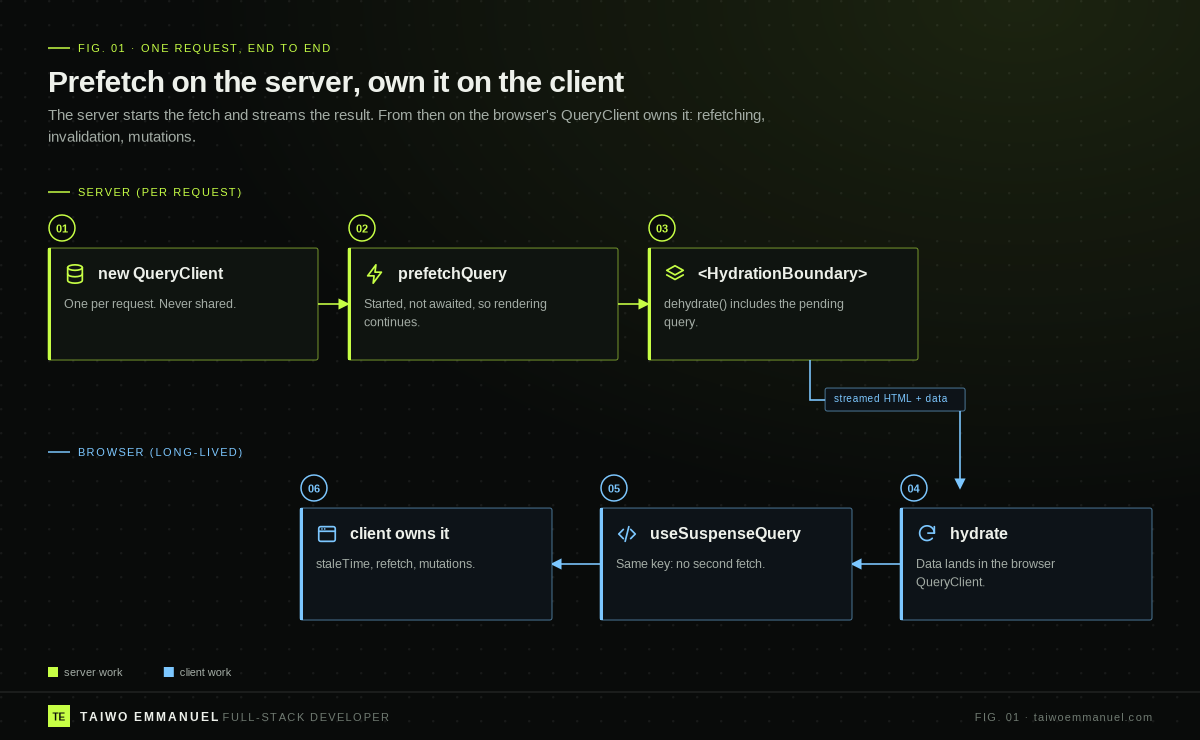
The big idea: the server prepares, the browser takes over
Modern React and Next.js let you combine both approaches. The server loads the data and sends a page that is ready to read. Along with the page, it hands over the data it used. The browser picks that data up and from then on keeps it fresh, without loading it a second time.
To the visitor, the page simply appears with content, then quietly stays up to date.
How to do it
1. Sort the page into read-only and interactive parts
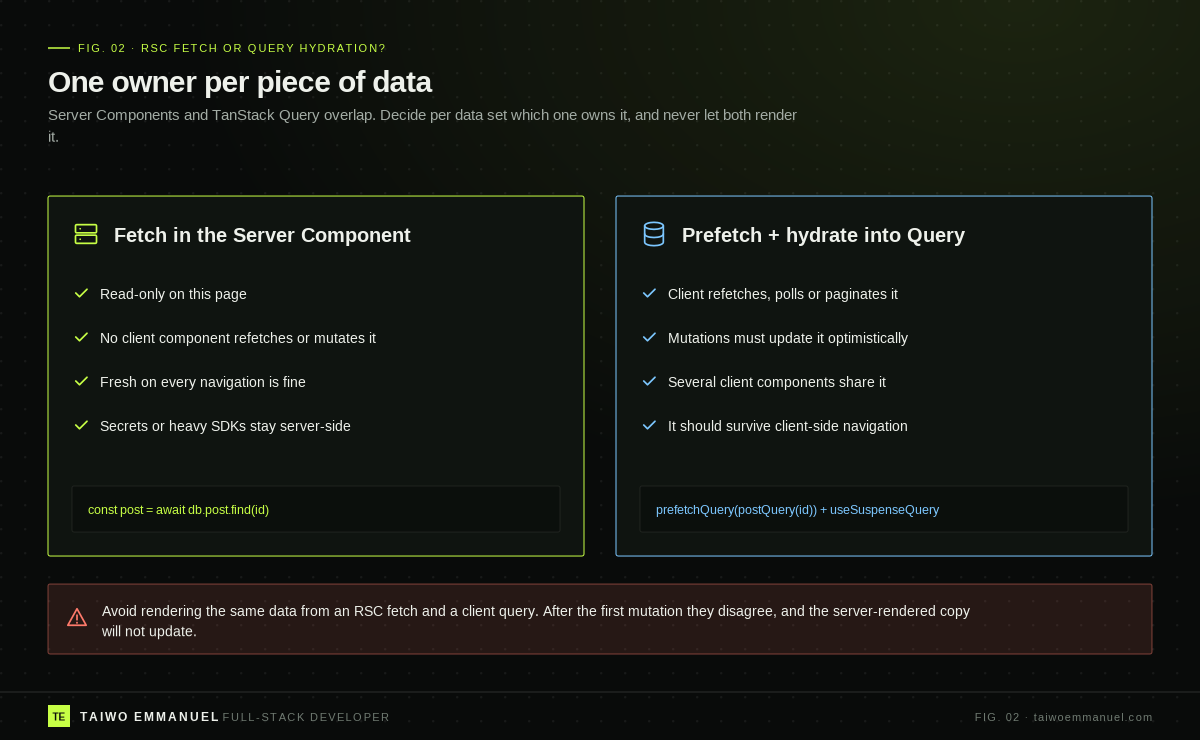
For each page I ask: which parts are just for reading, like an article, a product description or a footer? Which parts will people filter, refresh or change? Read-only parts are prepared entirely on the server, which is the fastest and simplest option.
2. Prepare interactive data on the server, then hand it over
For the interactive parts, the server loads the data first, so the page arrives complete. It then passes that data to the browser, where a library called TanStack Query takes charge of keeping it fresh. The visitor never sees a spinner for data the server already had.
3. Send the page in pieces
If one section is slow, for example a list of recommendations, it should not hold up the whole page. Next.js can send the fast parts first and fill in the slow part when it is ready, with a simple placeholder in the meantime.
What this means for your website
If you run a business website or web app, these choices show up as real results: faster first impressions, better search rankings because search engines see real content, and pages that keep up when people use them. When reviewing a site, open it on a phone with a weak connection. If the main content appears straight away and stays current, it is built well.
Takeaway
You no longer have to choose between a fast first load and a live, interactive page. Let the server prepare what people see first, hand interactive data to the browser to keep fresh, and send slow sections when they are ready. Visitors get a page that is fast and stays fresh.
References
- 1. Advanced server rendering — TanStack Query docs
- 2. Server rendering and hydration — TanStack Query docs
- 3. Server Components — React docs
- 4. Server and Client Components — Next.js docs
- 5. Query options — TanStack Query docs