/WRITING · AI IN PRODUCTS
When an AI agent changes your data: cache invalidation for agentic apps
When an AI assistant updates a record, the rest of the screen often keeps showing the old version. People stop trusting both the AI and the app. Here is why it happens and the simple habits that fix it.
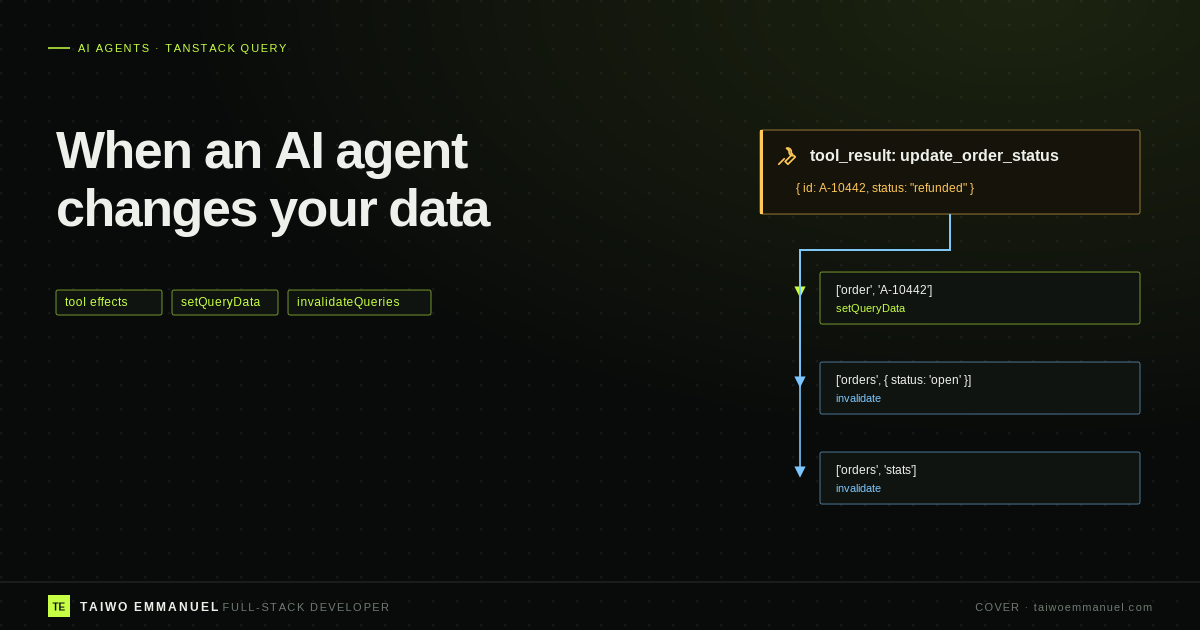
Here is a moment I have seen in several AI-powered apps. You ask the assistant to change a customer's delivery address. It replies, cheerfully, "Done, the address is updated." You look at the customer card right next to the chat, and it still shows the old address.
Was it updated or not? You refresh the page, and now it is correct. The AI was right. The screen was just behind. But in that moment you stopped trusting the AI, and a little bit of the app too.
The problem: the screen does not know the AI changed anything
Modern web apps keep a copy of the data they have already loaded, so pages feel fast and do not reload everything all the time. Developers call this a cache. Normally, when you edit something yourself, the app knows to update its copy.
When an AI makes the change, it usually happens on the server, through a tool the AI called. The part of the app that shows the customer card never hears about it. So it keeps showing its old copy, confidently, until something forces a reload.
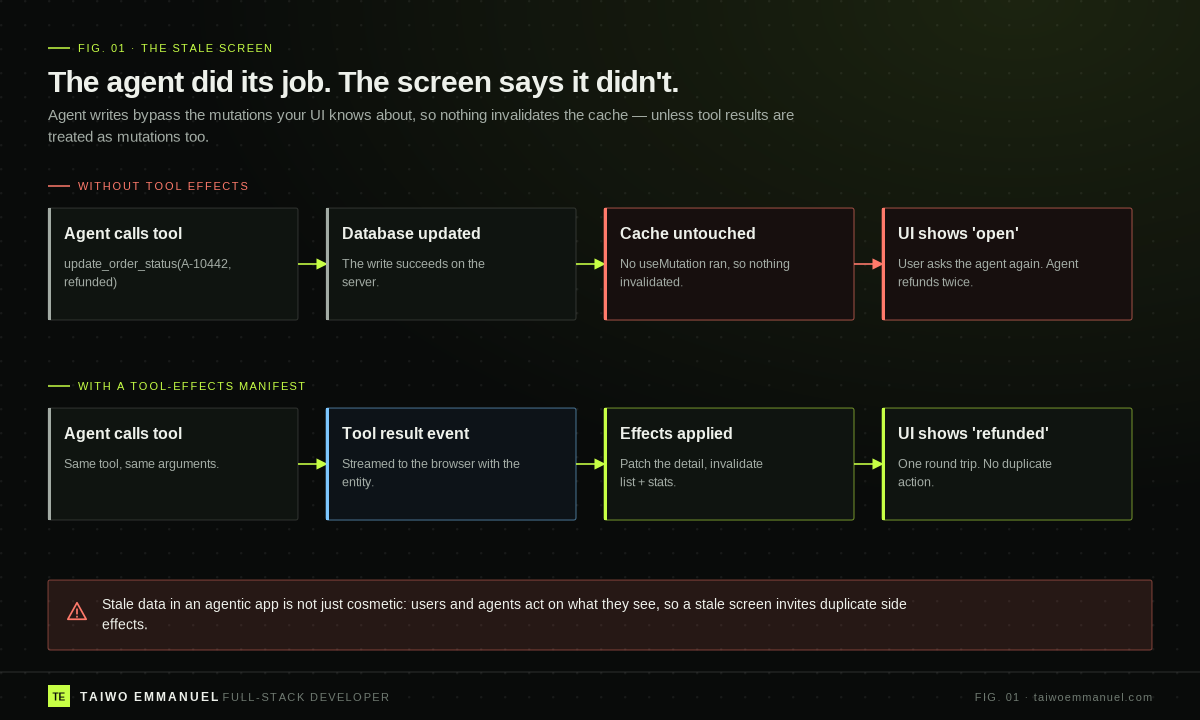
The big idea: every AI action should say what it changed
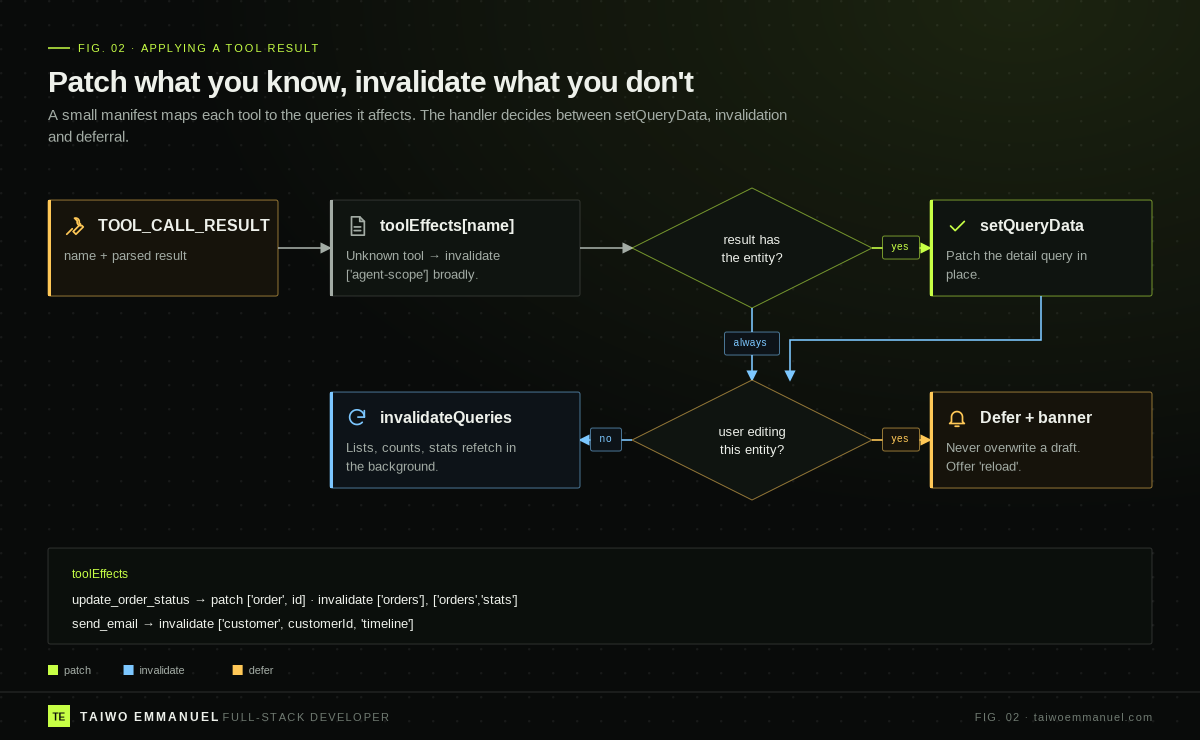
The fix is a habit, not a clever trick. Every action the AI can take should report two things back to the app along with its result:
- What it changed for certain, such as "customer 42's address is now 12 Allen Avenue".
- What it might have affected, such as "customer 42's order list".
The app then updates what it knows for certain straight away, and quietly re-checks anything that might have changed. The screen catches up in the same moment the AI says "done".
How to do it
1. Make a list of what each AI action can change
For each tool the AI can use, write down which parts of the app it affects. "Update address" touches the customer record. "Cancel order" touches the order, the order list and possibly the invoice. This list is the whole design.
2. Send that list back with every result
When the action finishes, the server includes a short note of what changed. In my apps, a library called TanStack Query reads that note and refreshes exactly those parts of the screen, without reloading the page.
3. Do not trample on unsaved work
If the user is halfway through editing the same record, the app should not silently replace what they are typing. Instead, it shows a gentle message: "This record was updated by the assistant. Review changes?"
4. Test it like a user would
My test is simple: ask the AI to change something that is visible on screen, and watch. If you need to refresh to see the change, the job is not finished.
What this means if you are adding AI to your product
Stale screens are one of the quickest ways to make an AI feature feel unreliable, even when the AI did everything right. When you review an AI feature, check that the rest of the app reflects its changes immediately.
Takeaway
AI that can change your data needs to tell the rest of the app what it changed. Update what is certain, re-check what might have changed, protect unsaved work, and the screen will always agree with what the assistant says.
References
- 1. Query invalidation — TanStack Query docs
- 2. Updates from mutation responses — TanStack Query docs
- 3. Query keys — TanStack Query docs
- 4. Effective React Query keys — Dominik Dorfmeister (TkDodo)
- 5. TwoHardThings — Martin Fowler