/WRITING · AI IN PRODUCTS
Generative UI: letting AI agents render React components safely
AI assistants can now answer with charts, cards and forms instead of paragraphs of text. That is genuinely useful, and it brings new risks. Here is what generative UI is, where it shines, and the guardrails I put around it.
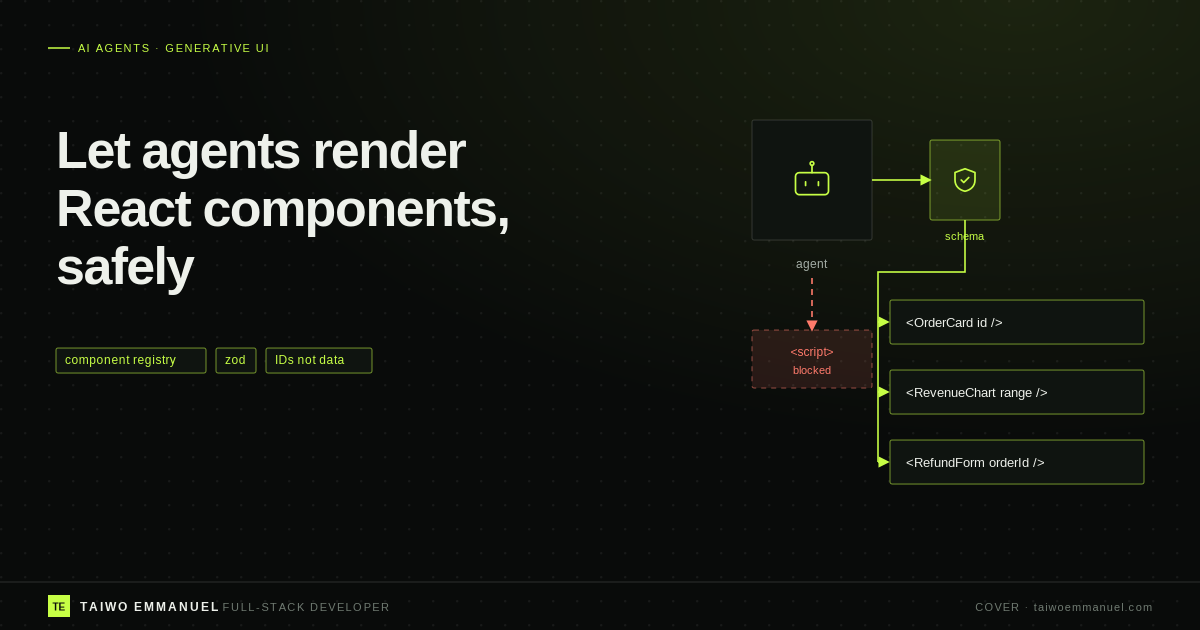
Ask an AI assistant about your sales last month and, until recently, you got a paragraph of numbers. Increasingly, you get a chart. Ask it to book a meeting and you get a small form with the time already filled in. This is called generative UI: instead of replying only with text, the AI chooses pieces of interface to show you.
Done well, it makes AI tools far easier to use. Done carelessly, it lets the AI put things on your screen that look official but are not true, or worse. This post covers both sides.
The problem: the AI is now deciding what appears on screen
When an AI writes text, people read it with some healthy doubt. When the same information appears inside a polished card or a chart, it looks like it came from the system itself. That is the risk.
Three things can go wrong:
- The AI makes up a number, and it appears in a chart that looks authoritative.
- Someone hides instructions in a document or email the AI reads, tricking it into showing a misleading button or link. This is called prompt injection.
- The AI asks for a piece of interface that was never meant to be shown, or fills it with content that breaks the page.
The big idea: the AI picks from a menu, and your app fills in the facts
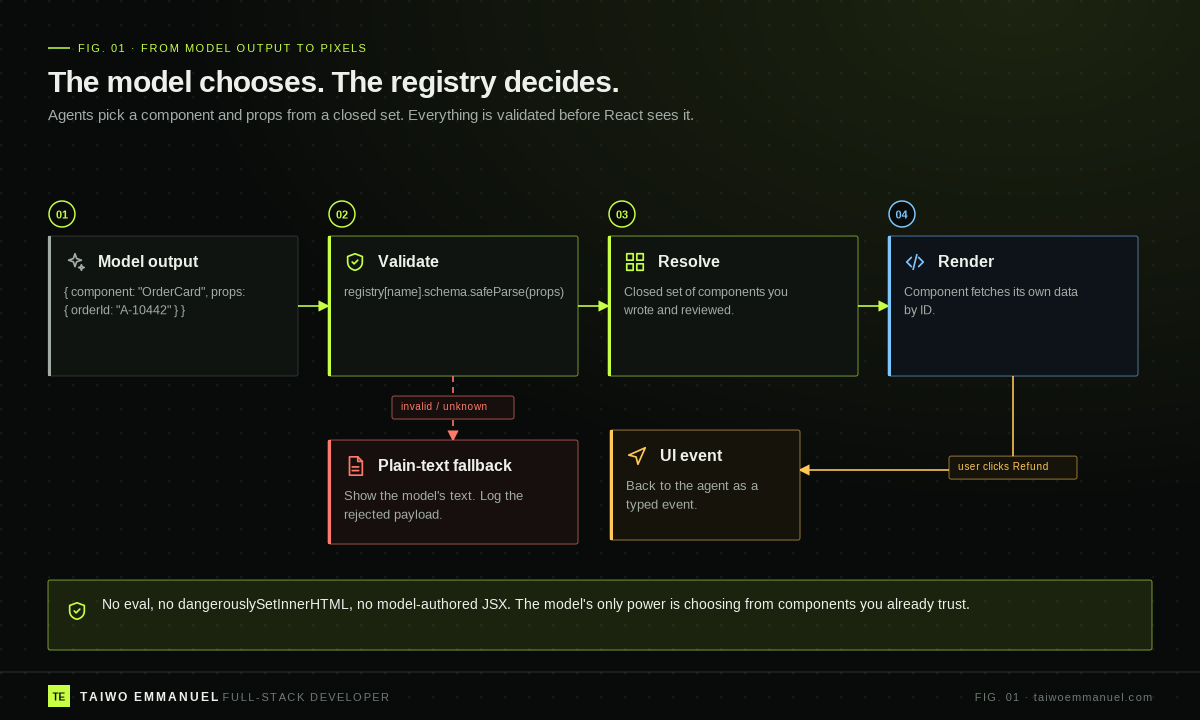
The safe version of generative UI works like ordering at a restaurant. The AI can choose from a fixed menu of components your team built and approved: an order card, a chart, a booking form. It cannot invent new ones.
And for anything factual, the AI passes a reference, not the data itself. Instead of saying "show an order card for 45,000 naira", it says "show the order card for order 1182". The app then looks up the real order from your own system. If the AI got something wrong, the card still shows the truth.
How to do it
1. Build a short, approved list of components
Start with three or four components that genuinely help, such as an order summary, a simple chart and a confirmation form. Anything not on the list is simply never shown.
2. Check every request before showing it
Each component has clear rules about what it accepts. If the AI's request does not match those rules, the app shows a polite fallback message instead of a broken or misleading card.
3. Pass IDs, then load real data
The AI refers to records by their ID. The component then loads the actual record from your own server, with the user's normal permissions, so the AI cannot show something the user should not see.

4. Keep actions behind a confirmation
If a generated component has a button that does something, such as pay, send or delete, it should lead to a normal confirmation step, not act straight away.
What this means if you are planning an AI feature
Generative UI is worth considering when your users ask questions with structured answers: numbers, schedules, orders, comparisons. Ask whoever builds it two questions: what list of components can the AI choose from, and where does the data inside them come from?
Takeaway
Generative UI makes AI tools friendlier, but the screen is where people place their trust. Give the AI a menu instead of a blank canvas, load facts from your own system, check every request, and put real actions behind a confirmation.
References
- 1. LLM01: Prompt injection — OWASP GenAI Security Project
- 2. Cross Site Scripting Prevention Cheat Sheet — OWASP
- 3. The Agent–User Interaction (AG-UI) Protocol — AG-UI
- 4. Zod documentation — Zod
- 5. useQuery reference — TanStack Query docs